01 / CONCEPT
Start from an idea
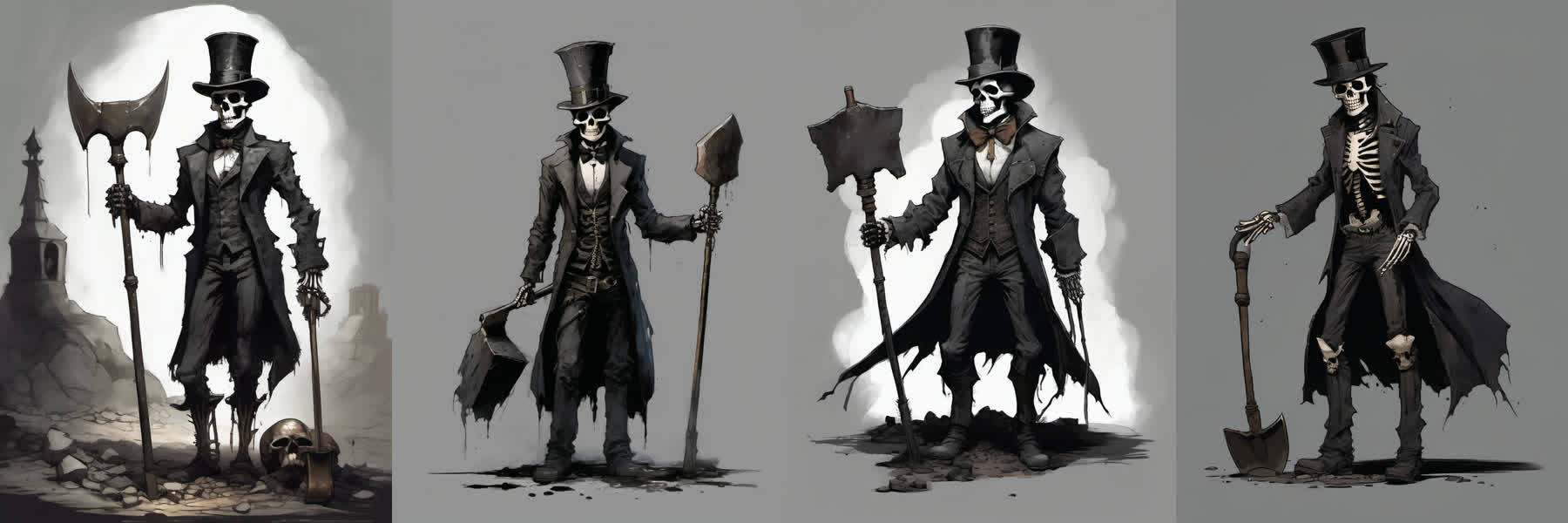
Describe the character or drop in your own art. Local SDXL, FLUX.2 and Qwen-Image draw variations until one feels right.
SDXLFLUX.2 kleinQwen-Image
v0.5.1 Local AI studio for game assets What’s new →
AstraForge takes an image or a line of text and hands back a game-ready asset: model, texture, skeleton, animation, effects, sprites — and a package that opens straight in Godot, Unity or Unreal. Everything runs offline on your graphics card. No cloud, no per-generation fees.
// 01 — WHAT IT REPLACES
An indie game needs half a dozen specialists before the first character walks across the screen. AstraForge does each of those jobs as one step of a single pipeline — so one developer ships what used to take a team, and a team stops waiting on the art queue.
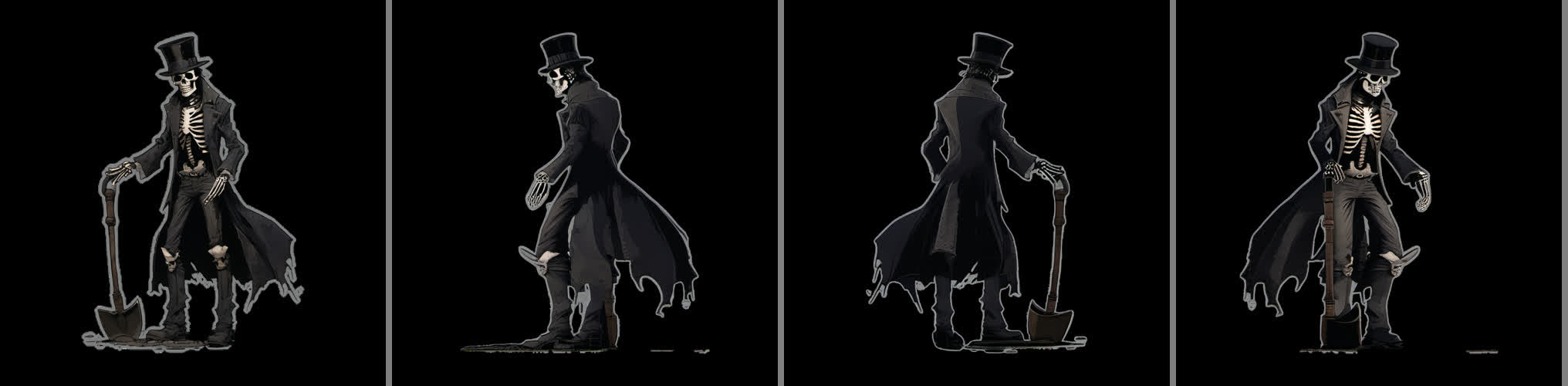
Local image models draw the concept; one front view becomes left, back and right views in about 40 seconds.
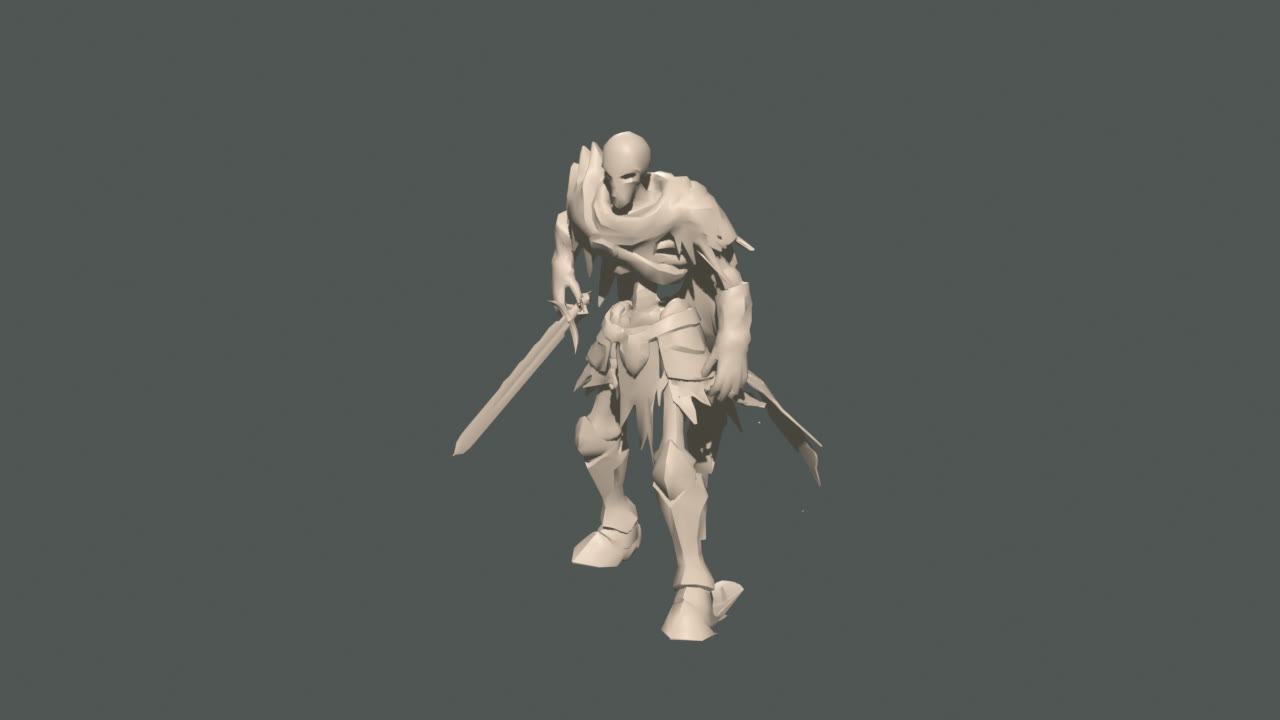
Hunyuan3D and Pixal3D build the shape from 1–4 views. Sculpting, cleanup and LODs are in the same window.
Projects the reference onto the model, bakes PBR maps and checks the result against the original image.
A Mixamo-compatible skeleton, retargeted motion library, weapons in hand and cloth simulation for capes and coats.
Fire, smoke, magic and impacts attached to bones, plus generators for effect textures and flipbooks.
Exports GLB, 8- and 16-direction sprites and engine packages — each Godot package is opened in a real Godot before it’s handed over.
// 02 — THE FORGE
The Forge is a guided pipeline of 28 steps. You can run it end-to-end with one click or stop at any step, fix it by hand and continue.
01 / CONCEPT
Describe the character or drop in your own art. Local SDXL, FLUX.2 and Qwen-Image draw variations until one feels right.
02 / VIEWS
From the front view the studio builds left, back and right — the input a 3D model needs to get the silhouette right from every side.
03 / MODEL & SCULPT
The shape engines turn views into geometry; brushes let you push and pull it like clay before it goes on to painting.
04 / RIG & MOTION
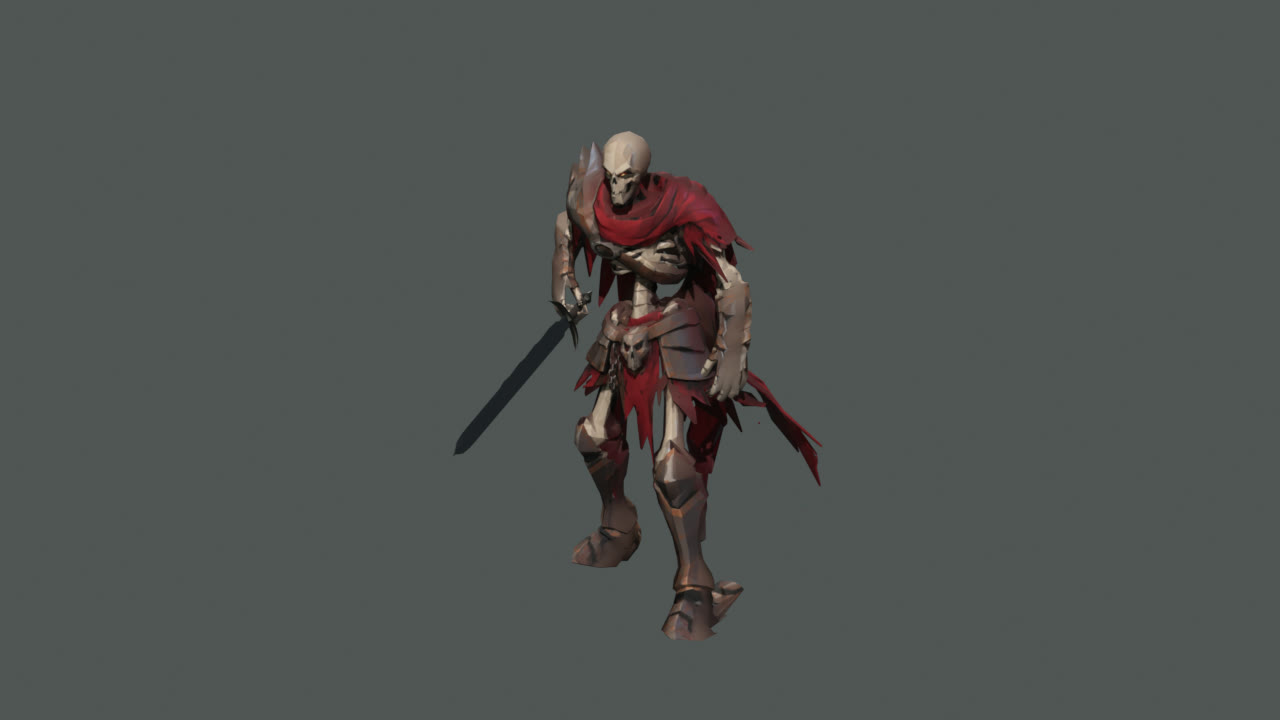
Auto-rig on a standard humanoid skeleton, a motion library retargeted onto it, the sword placed in the hand and the cape simulated as cloth.
05 / EFFECTS
Fire in the palm, a glow on the blade, dust under the feet — particles ride the skeleton and export with the asset.
06 / SHIP IT
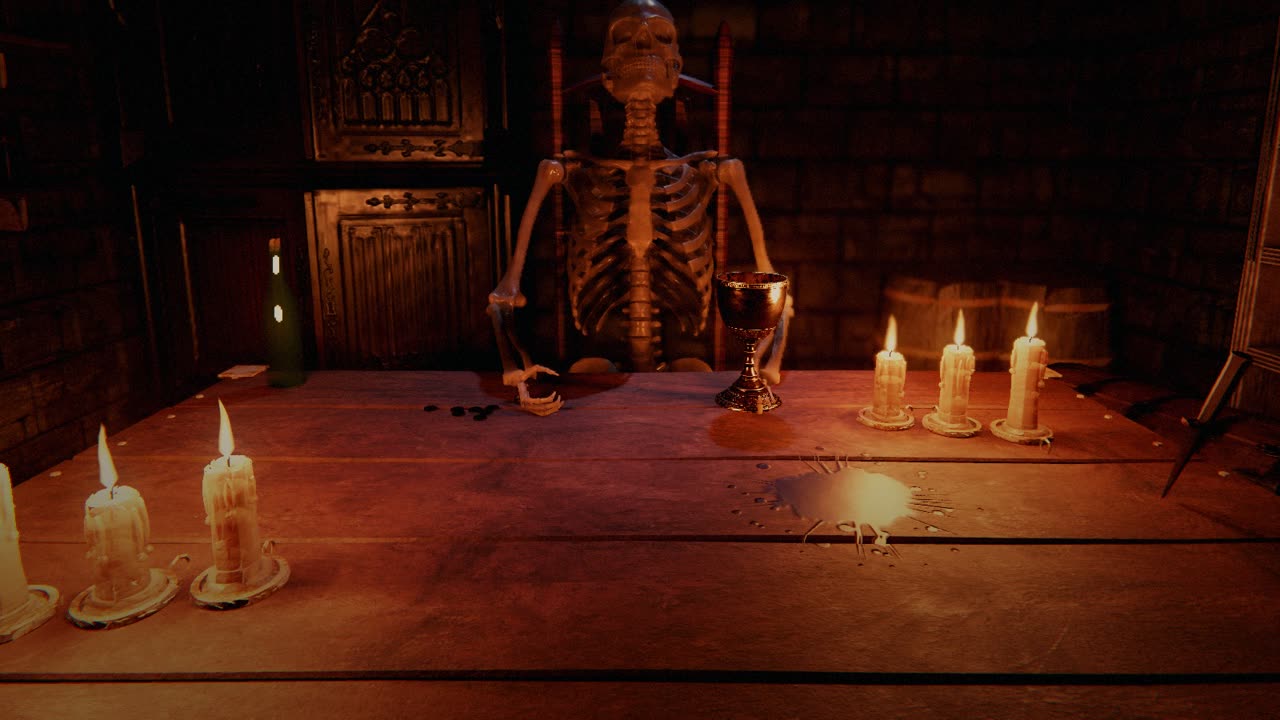
A Godot 4.5 package checked in a real Godot, a Unity 6 package with its importer, an Unreal Engine 5 package with Niagara effects, or 8/16-direction sprites for a 2D game. This is the table of Bloody Dice — every prop on it came out of the Forge.
// WATCH IT WORK — ON OUR YOUTUBE CHANNEL
// 03 — TRY IT IN YOUR BROWSER
These are real files from the AstraForge library — the same models that live in our games. Drag to orbit, scroll to zoom, switch the animation clips. Turrets open in pixel art, the way District 30 draws them.
// 04 — BREAK IT
The same house and the same fracture as in the game: AstraForge cut it into structural chunks and fragments with a support graph. Pick a building and a weapon from the game, then click the wall: the turret 30 m away fires, bullets chip bricks, shells tear out chunks, and whatever loses its support down to the ground collapses.
click — fire · drag — orbit · scroll — zoom
// 05 — PROOF
AstraForge isn’t a demo. It is the asset shop of our own studio — every game below either runs on its assets or is the reason it exists.
Zombie defenceGodot 4.5 · Jolt
The last city of humankind. A horde every night, rebuilding every day — and the buildings collapse room by room.
All 3D — houses, 5 weapons, 24 zombie citizens
Horror diceGodot · Windows · Web
Dice against a skeleton in a candle-lit cellar. Lose a round — a candle goes out. Lose three — the shotgun speaks.
Built in 21 hours · table, candles, dice, shotgun, cellar
Space simGodot 4.5
A ship that levels up like an RPG hero, a 25,000-system galaxy and an AI officer with a voice.
Stations, mining platform, drones, SQ-03
Turn-based tacticsGodot · Telegram
Fantasy tactics in Telegram and the browser — with field battles of 1,500 units at once.
Where AstraForge was born — its 79-unit roster
Survivor-likeAndroid · Windows
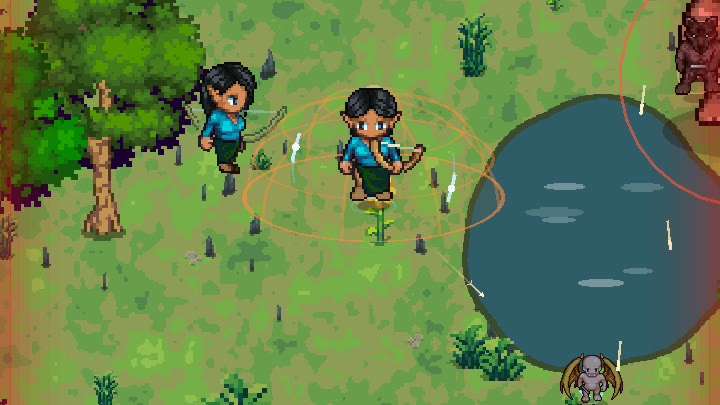
Survive the field, climb a hundred-floor tower and evolve into one of 67 forms.
Made before AstraForge — our first full game
// SOLO DEVELOPERS
// STUDIOS & TEAMS
// 06 — PRICING
No credits, no generation limits, no feature tiers. A subscription buys the right to use AstraForge — and everything made with it — commercially.
PERSONAL
$0
forever
COMMERCIAL · MONTHLY
$5/ month
490 ₽ · 5 €
COMMERCIAL · YEARLY−18%
$49/ year
4 800 ₽ · 49 €
Pay with a Russian bank card via lava.top (₽) or with Visa / Mastercard from any other country via Polar ($) — you choose on the payment page. Model licences apply: Hunyuan3D is not licensed for the EU, UK and South Korea; FLUX.2 klein is non-commercial only — the installer tells you which engines your licence covers.
// SYSTEM REQUIREMENTS
OS
Windows 10 / 11x64, no admin rights neededGPU
NVIDIA 8 GB+ · AMD Radeon12 GB recommended; AMD Radeon RX 9070 / 9060 XT / 7900 XTX / 7700 on Windows 11; Pixal3D wants NVIDIA RTX 30/40/50 with 10 GB+RAM
16 GB32 GB recommendedDISK
3 – 135 GBLite (no NVIDIA), Fast ≈ 30 GB, Full ≈ 135 GB// QUESTIONS
Your images and models never do — generation runs locally. Crash reports and an anonymised production log are sent by default to help the studio learn; both switch off in Settings.
Only for the first install and model downloads. After that the studio works offline; a paid licence re-checks once every 7 days.
Godot 4.5 packages (verified in a real Godot before hand-off) and Unity 6 through the com.astraforge.unity importer. Plain GLB, OBJ, PNG sprites and WebM work anywhere.
Yes, with the Lite install (~3 GB): Blender-based rigging, animation, sprites, VFX and Godot export work without NVIDIA. Image-to-3D generation needs an NVIDIA GPU.
Yes. AstraForge ships an MCP server with 56 tools, so an agent can create, rig, animate and export assets — and drop them into a Unity or Godot project.
Dops Media, an independent game studio. We built AstraForge to make our own games and use it every day — new versions ship several times a week.
// YOUR TURN
Install, pick an image, press Forge. The full walkthrough is on our YouTube channel.